Cybersecurity is no longer a topic reserved for IT professionals in server rooms. If you use the internet, you're a potential target. Every beginner who connects to a network, opens an email, or downloads an app faces real threats that can compromise personal data, finances, and even identity. Understanding the basics of online security starts with knowing what you're up against.
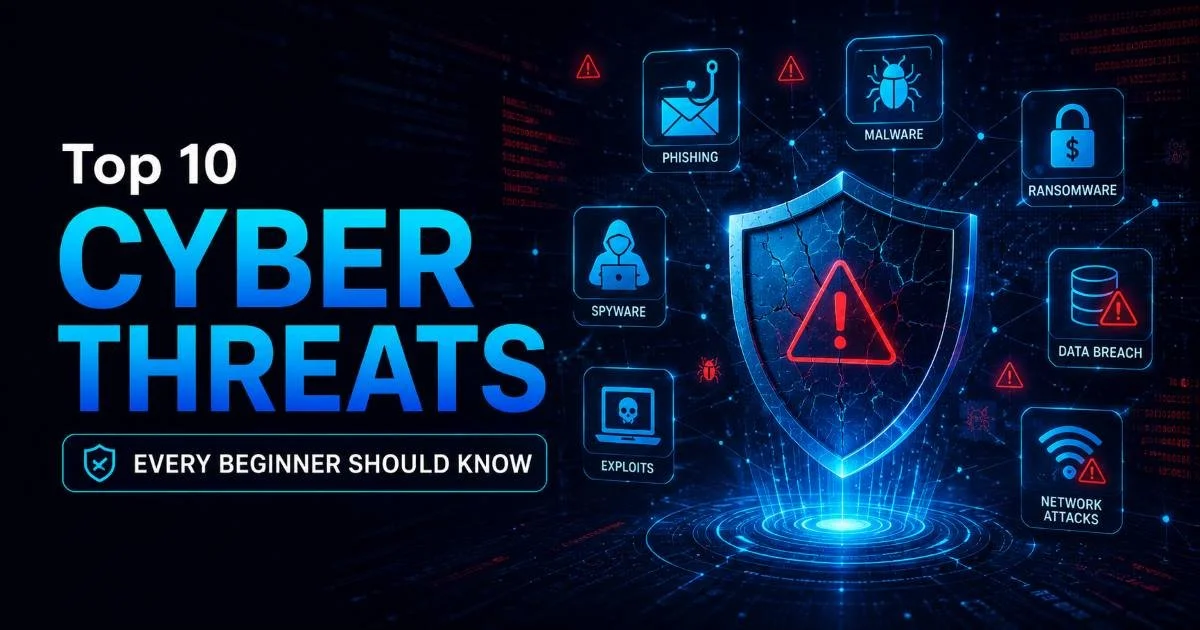
The threat landscape evolves constantly, but the most common attack types have remained remarkably consistent over the past decade. This article walks you through ten of the most pressing cyber threats you need to recognize.
By learning to identify these dangers early, you build a strong foundation for protecting yourself and any organization you work with. For a broader understanding of core concepts, our guide on cybersecurity definitions, threats, and practices is a solid starting point.
Key Takeaways
- Phishing remains the most common attack vector, responsible for over 80% of reported security incidents.
- Ransomware can lock your files permanently unless you maintain regular offline backups.
- Public Wi-Fi networks expose you to man-in-the-middle attacks without a VPN.
- Weak or reused passwords are the easiest vulnerability for attackers to exploit at scale.
- Social engineering targets human psychology, not software, making awareness your best defense.
1-3: Phishing, Malware, and Ransomware
Phishing Attacks
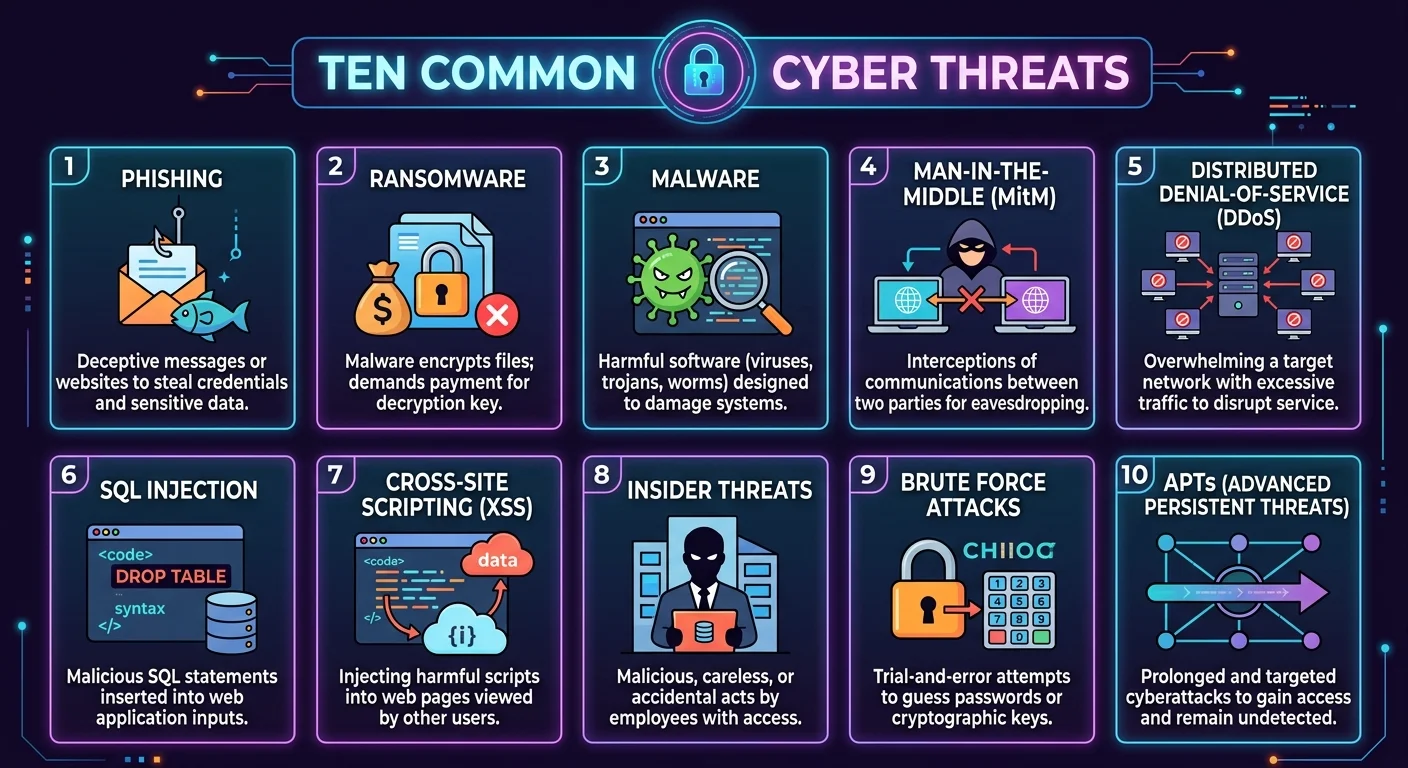
Phishing is the single most prevalent cyber threat facing individuals and organizations today. Attackers craft emails, text messages, or fake websites that impersonate trusted entities like banks, employers, or popular services. The goal is straightforward: trick you into clicking a malicious link or surrendering login credentials. According to Verizon's 2023 Data Breach Investigations Report, phishing was involved in 36% of all data breaches.
What makes phishing particularly dangerous for beginners is its sophistication. Modern phishing emails often contain accurate logos, genuine-looking sender addresses, and urgent language designed to bypass your critical thinking. Spear phishing takes this further by targeting specific individuals with personalized details scraped from social media. Even seasoned professionals fall for well-crafted spear phishing campaigns, so a healthy skepticism toward unexpected messages is a foundational security habit.
Always hover over links before clicking to verify the actual destination URL matches what you expect.
Malware Infections
Malware is an umbrella term covering viruses, trojans, spyware, worms, and adware. These malicious programs infiltrate your device through infected downloads, compromised websites, or email attachments. Once installed, malware can steal data, monitor keystrokes, corrupt files, or give attackers remote access to your system. The variety of malware types means that protection requires multiple layers, not just a single antivirus tool.
Trojans deserve special attention because they disguise themselves as legitimate software. A beginner might download what appears to be a free PDF converter or game mod, only to install a backdoor that quietly sends data to an attacker's server. Keeping your operating system updated, downloading software only from official sources, and running reputable antivirus software significantly reduces your exposure to malware.
Ransomware
Ransomware encrypts your files and demands payment (usually in cryptocurrency) for the decryption key. The 2017 WannaCry attack affected over 200,000 computers across 150 countries, including hospitals, government agencies, and businesses. More recently, the Colonial Pipeline attack in 2021 disrupted fuel supply across the U.S. East Coast and resulted in a $4.4 million ransom payment. These are not abstract risks; they are headline events that affect everyday life.
Paying a ransom does not guarantee you will get your files back, and it funds further criminal activity.
The best defense against ransomware is maintaining regular backups stored offline or in a separate cloud environment. If ransomware hits and you have a clean backup, you can restore your data without paying. Combined with updated software and cautious email habits, backups make ransomware a recoverable inconvenience rather than a catastrophe. Beginners should practice the 3-2-1 backup rule: three copies of data, on two different media types, with one stored offsite.
4-6: Network and Access-Based Threats
Man-in-the-Middle Attacks
A man-in-the-middle (MitM) attack occurs when an attacker secretly intercepts communication between two parties. This commonly happens on unsecured public Wi-Fi networks in coffee shops, airports, and hotels. The attacker positions themselves between your device and the network router, capturing everything you send, including login credentials, credit card numbers, and private messages. You never notice anything unusual because the connection appears to function normally.
Using a VPN (Virtual Private Network) encrypts your traffic and makes MitM attacks far more difficult. Also, look for HTTPS in the address bar before entering sensitive information on any website. Modern browsers flag HTTP-only sites as insecure for good reason. If you manage web infrastructure, understanding the difference between platforms matters; resources comparing tools like Neon vs Supabase can help you choose backends that enforce encrypted connections by default.
Never access banking or sensitive accounts on public Wi-Fi without an active VPN connection.
Denial of Service (DoS/DDoS)
Denial of Service attacks flood a server, network, or website with so much traffic that legitimate users cannot access it. Distributed Denial of Service (DDoS) attacks amplify this by using thousands of compromised machines (botnets) to generate traffic simultaneously. The 2016 Mirai botnet attack took down major services including Twitter, Netflix, and Reddit by exploiting insecure IoT devices like cameras and routers.
While individual beginners are unlikely to be direct DDoS targets, understanding this threat matters if you manage any online service, blog, or application. Cloud providers like Cloudflare and AWS offer DDoS mitigation services that absorb malicious traffic before it reaches your server. Rate limiting, traffic filtering, and geographic blocking are additional network protection strategies that reduce the impact of volumetric attacks.
Password Attacks
Password attacks include brute force (trying every possible combination), dictionary attacks (using common word lists), and credential stuffing (testing stolen username-password pairs from previous breaches). The reality is sobering: "123456" and "password" still rank among the most commonly used passwords worldwide. Attackers use automated tools that can test billions of combinations per second against weak passwords.
A password manager solves most of these problems by generating and storing unique, complex passwords for every account. Combined with multi-factor authentication (MFA), even a compromised password becomes insufficient for an attacker to gain access. If you're building good security habits, start here. Password hygiene is the single highest-impact change a beginner can make to their online security posture immediately.
| Attack Type | Method | Speed | Best Defense |
|---|---|---|---|
| Brute Force | Tries all combinations | Slow for long passwords | 16+ character passwords |
| Dictionary | Uses common word lists | Fast against weak passwords | Random character strings |
| Credential Stuffing | Reuses breached credentials | Very fast with automation | Unique passwords per site |
| Keylogging | Records keystrokes via malware | Real-time capture | Antivirus and MFA |
Even strong passwords are vulnerable if reused across multiple sites. A breach on one platform exposes every account sharing that password.
7-8: Social Engineering and Insider Threats
Social Engineering
Social engineering manipulates people rather than systems. Attackers exploit trust, urgency, fear, or curiosity to get victims to take actions they normally wouldn't. This goes beyond phishing emails to include phone calls (vishing), pretexting (fabricating scenarios to extract information), and tailgating (physically following authorized personnel into restricted areas). Kevin Mitnick, one of history's most famous hackers, relied primarily on social engineering rather than technical exploits.
"The weakest link in any security system is almost always the human operating it."
Training yourself to pause before reacting to urgent requests is the most effective countermeasure. If someone calls claiming to be from IT support and asks for your password, hang up and call the department directly using a verified number. Organizations that invest in security awareness training see up to a 70% reduction in successful social engineering attacks. Writing clear, engaging training materials shares principles with effective content creation, because the message only works if people actually absorb it.
Pretexting deserves particular attention because it is so effective against helpful people. An attacker might call a receptionist pretending to be a new employee locked out of their account, or pose as a vendor needing urgent system access. The emotional manipulation is calculated. Training staff to verify identities through established protocols, regardless of how convincing or urgent the request sounds, neutralizes most pretexting attempts.
Insider Threats
Not all threats come from outside. Insider threats originate from employees, contractors, or business partners who have legitimate access to systems and data. These can be malicious (a disgruntled employee stealing customer data before quitting) or accidental (someone misconfiguring a database and exposing records publicly). The 2020 Twitter hack that compromised high-profile accounts was enabled by social engineering of internal employees.
Organizations counter insider threats through the principle of least privilege, granting users only the minimum access needed for their roles. Monitoring unusual data access patterns, implementing separation of duties, and conducting regular access reviews all reduce risk. As a beginner entering the workforce, understand that your access rights come with responsibility. Even unintentional data exposure can result in serious consequences for you and your employer.
9-10: Emerging Threats Every Beginner Should Watch
SQL Injection
SQL injection attacks target web applications by inserting malicious database queries through input fields like search bars, login forms, or URL parameters. When a web application fails to properly validate user input, an attacker can manipulate the underlying database to extract, modify, or delete data. The OWASP Top 10 has consistently listed injection flaws as one of the most critical web application security risks for over a decade.
Even if you're not a developer, understanding SQL injection helps you evaluate the security of tools and platforms you use. Websites that display database errors when you enter special characters in form fields are red flags. For aspiring developers, parameterized queries and input validation are non-negotiable practices. Modern frameworks like Django, Rails, and Laravel include built-in protections against SQL injection, but only when developers use them correctly.
If a website shows raw database errors after you submit a form, avoid entering sensitive information on that site.
Zero-Day Exploits
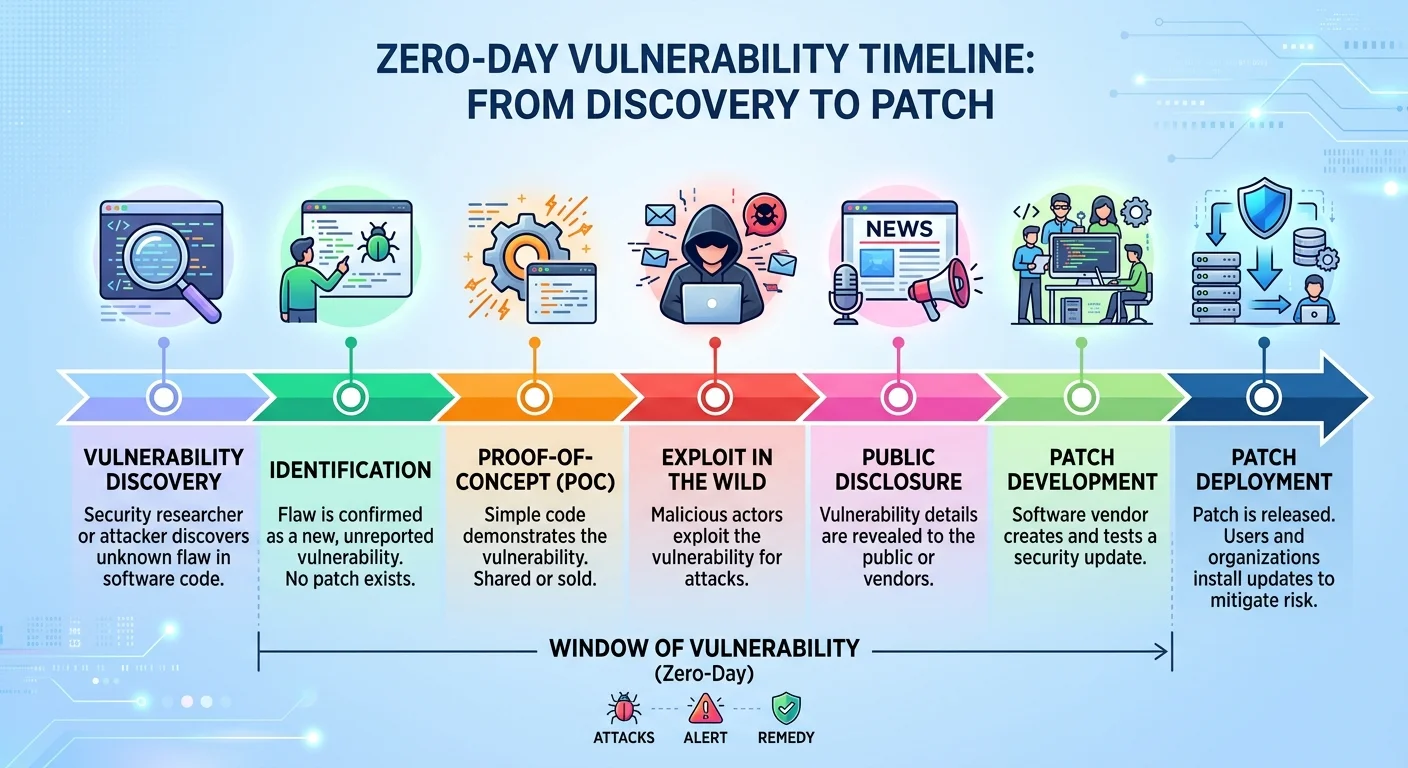
A zero-day exploit targets a software vulnerability that the vendor doesn't yet know about, meaning there is no patch available. These are among the most dangerous cybersecurity threats because there is literally zero days of protection between discovery and potential exploitation. Nation-state actors and advanced criminal groups stockpile zero-day vulnerabilities for high-value targets, but the effects can cascade to ordinary users when exploits leak.
The Log4Shell vulnerability discovered in December 2021 affected millions of systems worldwide because the Log4j library was embedded in countless applications. Beginners can protect themselves by keeping all software updated, enabling automatic updates where possible, and using security tools that employ behavioral detection rather than relying solely on known threat signatures. No single tool stops every zero-day, but layered defenses dramatically reduce your attack surface.
Frequently Asked Questions
?How do I check if a phishing link is safe before clicking?
?Is antivirus software alone enough to stop malware infections?
?How long does ransomware recovery take without a backup?
?Do beginners really need a VPN on public Wi-Fi every single time?
Final Thoughts
These ten cyber threats represent the core dangers every beginner should understand before going deeper into cybersecurity. Knowledge alone won't make you immune, but it transforms you from an easy target into someone who recognizes red flags.
Start with practical steps: use a password manager, enable MFA everywhere, keep software updated, and question unexpected requests. The online threat landscape will keep evolving, but the fundamentals of protection remain remarkably stable. Build these habits now, and you'll carry them through every stage of your security journey.
Disclaimer: Portions of this content may have been generated using AI tools to enhance clarity and brevity. While reviewed by a human, independent verification is encouraged.